Install from Microsoft Store
We are now verified by Microsoft. Download the app directly from the Store for a secure, one-click installation. Updates will be handled automatically.
Get it from Microsoft StoreRequires Windows 10 or 11.
Activate License
The app download is free, but you need a Pro License to run the automation. Purchase your key securely below.
Once you have the key from your email, simply launch the ITNC app and paste it into the activation window.
Buy License Key - ₹199Prepare Credentials
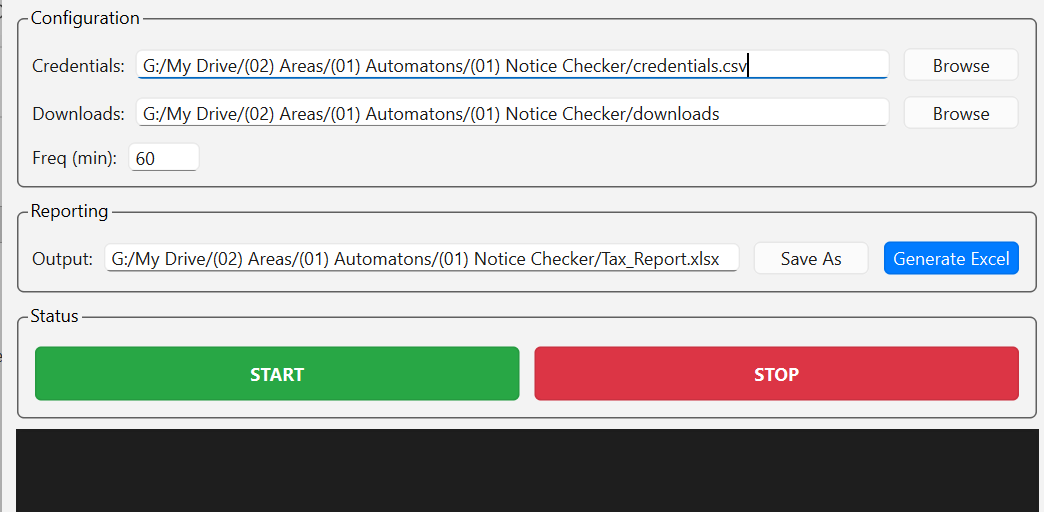
Download the sample CSV file below. Fill it with your clients' PAN numbers and passwords. Then, open the ITNC app and browse to select your prepared CSV file.
Start and Forget
Click the big green START button. The bot will begin cycling through your clients.
You can close the window—it will minimize to your system tray and continue running silently in the background.
Generate Report
When the process is complete, open the app and click Generate Excel. A master sheet with all findings will be created instantly.